After 4 days of software reinstallation, I built Gem from sources, then this:
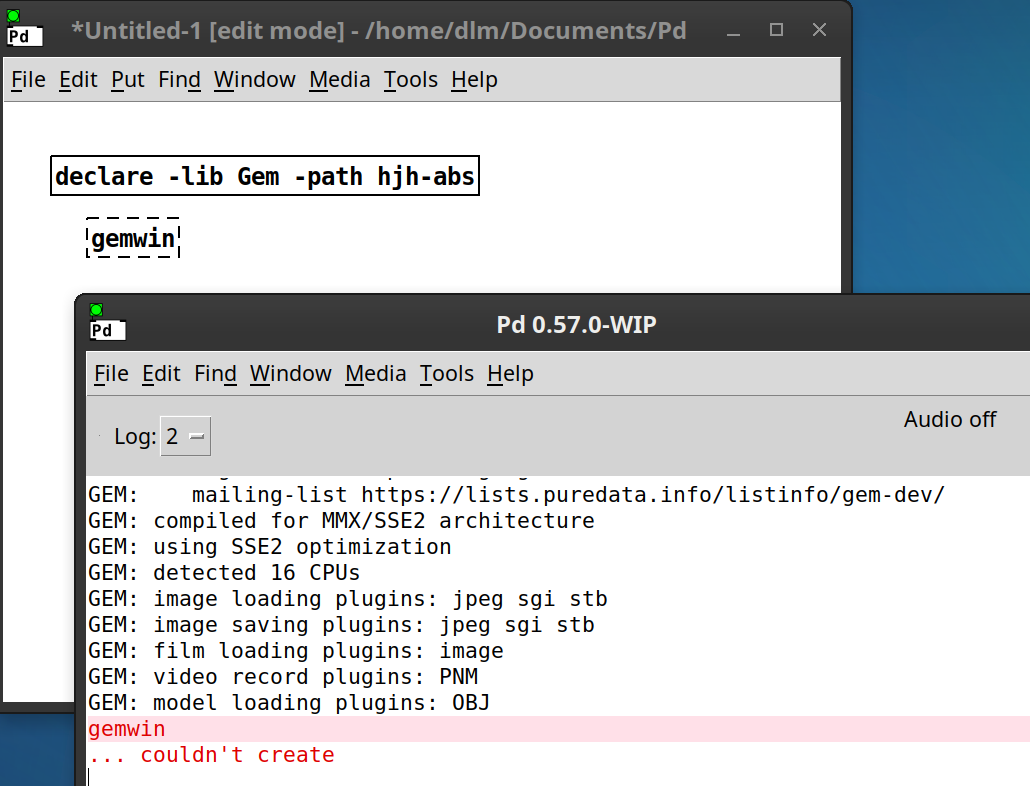
Also doesn't work with -lib Gem -path Gem either.
I'm... just done troubleshooting.
Help.
hjh

Gem can't create gemwin???
After 4 days of software reinstallation, I built Gem from sources, then this:
Also doesn't work with -lib Gem -path Gem either.
I'm... just done troubleshooting.
Help.
hjh
I had trouble installing gem as a beginner. until I switched to debian linux. then you can have sudo install it automatically and it works really well. pd vanilla also works better on debian . otherwise you could look at a debian installation and see what it lloks like and maybe get some clues from it.
OK, I found the problem.
For Gem, it's mandatory to sudo make install. In Ubuntu, by default, this goes into /usr/local/lib/pd/extra. Then the problem is that this location is not added by default into the PD path, so [declare -lib Gem] doesn't know to look there.
I had tried to work around that problem by symlinking the gem repository into my user-level externals directory, but that didn't work because the repository's folder structure doesn't match what is needed to use the external.
So the solution was sudo make install, then add /usr/local/lib/pd/extra to the path.
hjh
in my one I just install pd vanilla and then do sudo apt install gem. and then I dont have to do anything else.
@willblackhurst said:
in my one I just install pd vanilla and then do sudo apt install gem. and then I dont have to do anything else.
It's true that in most cases this is sufficient. Anybody finding this thread in the future should try installing from packages first.
I found in my case that, inevitably at some point, I will have to install some other media plugins and enable them in Gem. If I don't, certain image or video files will not be accessible in Gem. That's why for the last two or three OS update cycles, I have built from source instead of installing from packages, and I expect to continue doing so.
hjh
pink stuff means its using "two"
Oops! Looks like something went wrong!