-
 Balwyn
posted in technical issues • read more
Balwyn
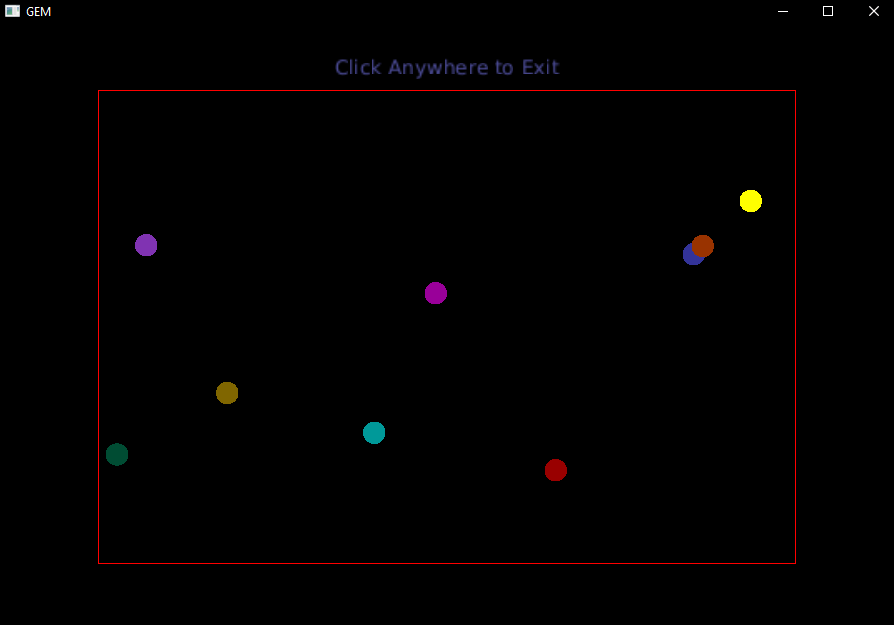
posted in technical issues • read more@fussicks this sounds like something I attempted about nine years ago, It may help, but it wasn't very accurate with the collisions
https://forum.pdpatchrepo.info/topic/10993/bounce-a-foray-into-gem
-
Balwyn
posted in technical issues • read more
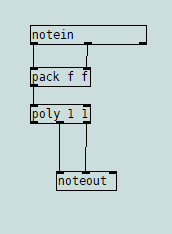
@Moothart you can create monophonic notes using [poly] like this
-
Balwyn
posted in technical issues • read more
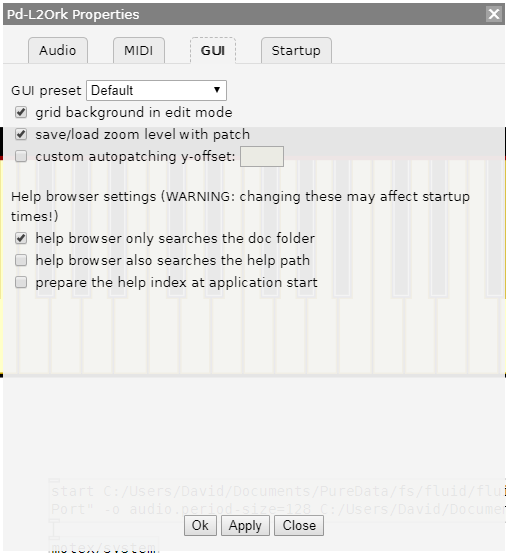
@xaverius in the preferences there is the option to save the zoom with the patch, so when you reopen the patch it is already zoomed. However each patch and subpatch needs to be zoomed before saving
-
Balwyn
posted in technical issues • read more
@jamcultur @whale-av Well, [file cwd] looks like it only works with [file handle] Sorry
-
Balwyn
posted in technical issues • read more
@whale-av Well it does seem to hold the selected directory for the current patch, but I admit it doesn't change the current system directory when, or after opening other patches or programs.
-
Balwyn
posted in technical issues • read more
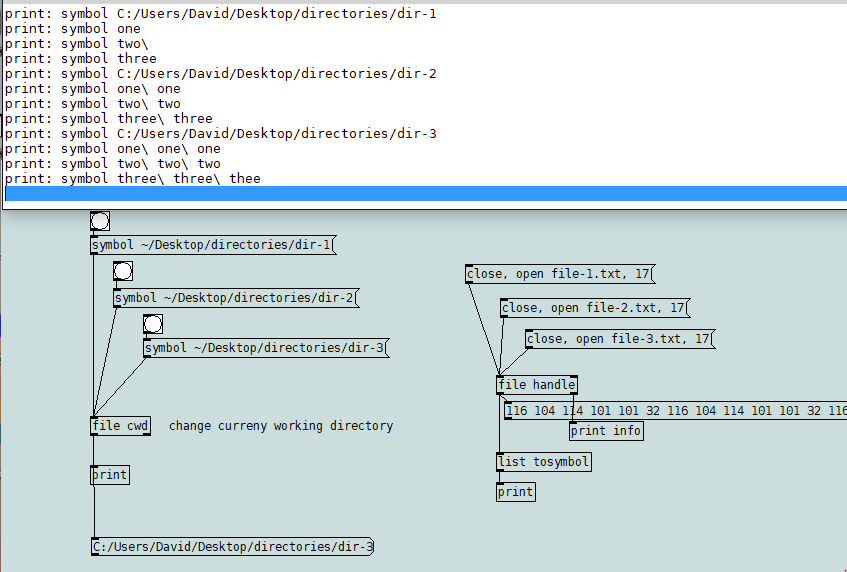
@jamcultur maybe this might help, [file cwd] will set the current working directory
The three directories contain the same named files, and the files have different text
I should point out that [file handle] is for binary files and is only used to quickly illustrate the file contents are different
select-directory-2.zip
-
Balwyn
posted in technical issues • read more
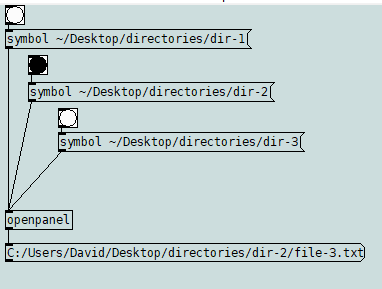
@jamcultur Is possible to use openpanel?
see openpanel-help for modes: 0 file 1 directory 2 multiple files
directories.zip
-
Balwyn
posted in technical issues • read more
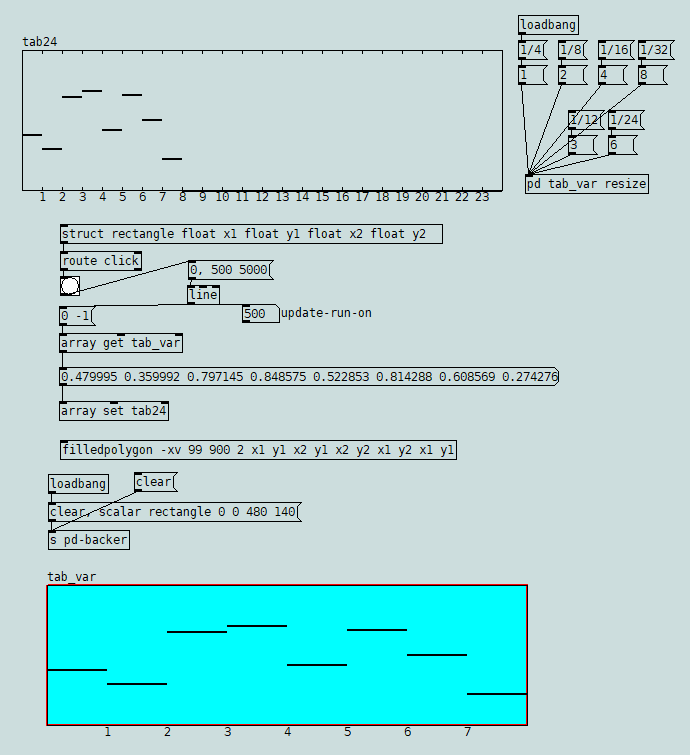
@Glop-Glop you could use a data structure and scalar as a receiver for a click, that sits behind the array graph but still allows you to edit it and then a line object for a bit of a run-on to update the other array
array-update.pd
-
Balwyn
posted in technical issues • read more
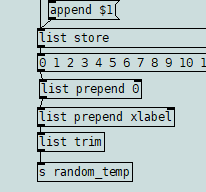
@Glop-Glop The errors are caused by not having a number for the y position in the array xlabel, therefore the label elements do not match
To fix: search using find for pd, this will show 1 of 2 sub patches [pd seq_temp resize] then find again for 2 of 2 sub patches [pd random_temp resize]. Open each sub patch and insert [list prepend 0] between the list object and [list prepend xlabel] in each sub patch as belowEdit: in fact -.1 is better for seq_temp and -4 for random_temp
-
Balwyn
posted in tutorials • read more
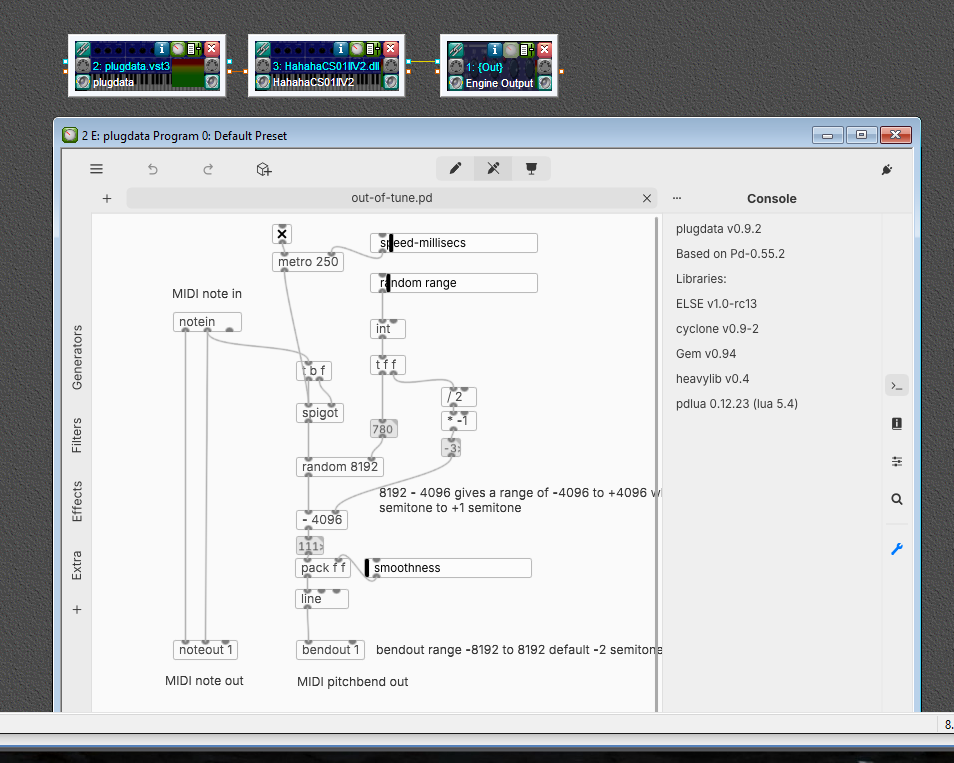
@Orangery Yes, sorry about I hadn't tested it and the numberbox outlet was not connected to the [+ ] object, but worse than that was the random notes cause some notes hang when playing more than one note if playing polyphonically. The best I could come up with to address that, was to count the note-on and note-off and when sum was zero perform an all notes off (cc 123).
out-of-tune-3.pd -
Balwyn
posted in tutorials • read more
@Orangery I'm not that good on music terminology, but here I've added an hradio of 13 cells that when set greater than zero will also play a note that many semitones above the original at the same velocity
out-of-tune-2.pd
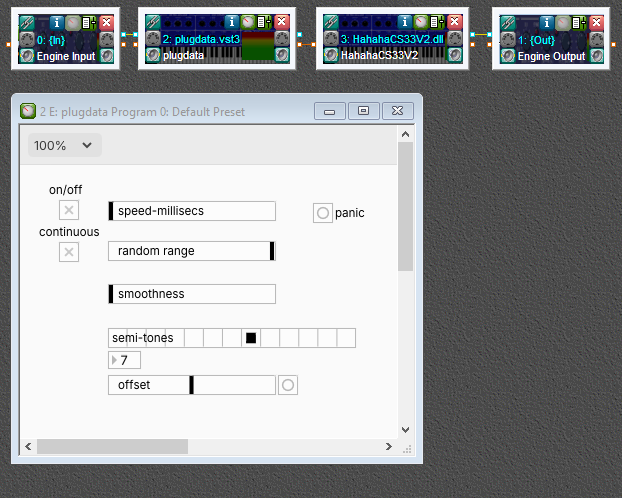
I've just noticed today when you first open the plugdata.vst edit button there is a plug icon to enter plugin mode
-
Balwyn
posted in tutorials • read more
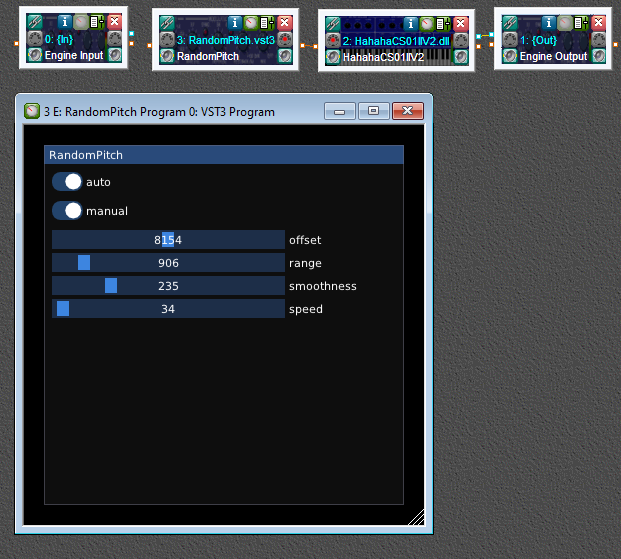
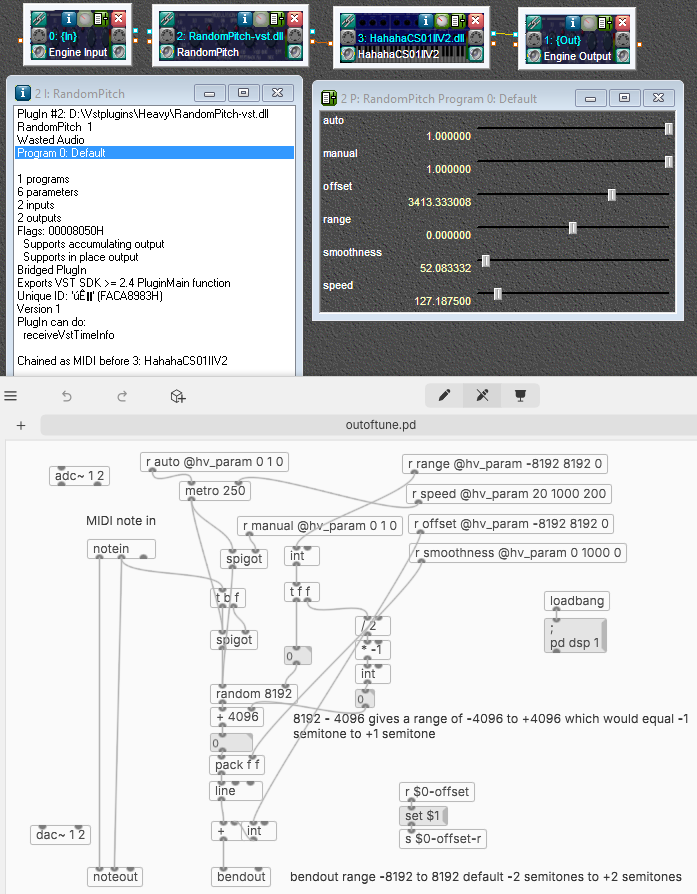
@Orangery you can open the outoftune.pd that is in the outoftune vst3 folder in plugdata.vst3 or puredata to see the difference
which are the control connections are now wireless using send and receive, there is a second toggle that opens a second spigot allowing the metro to bang the random continuously instead of only when a note is pressed and there is also an offset slider which raises or lowers pitch centre -
Balwyn
posted in tutorials • read more
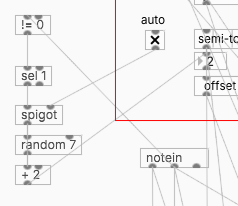
@Orangery I have just notice that my mathematics is wrong [- 4096] should be [+ 4096]
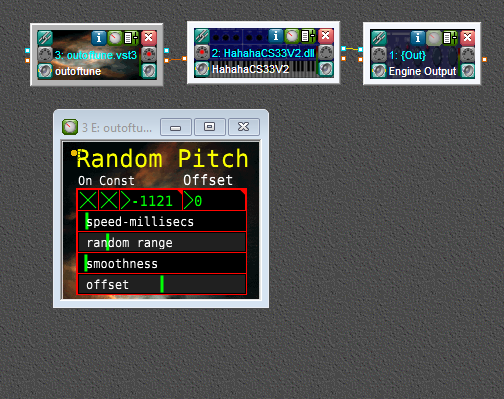
I also failed to mention a plugin called Camomile by Pierre Guillot that allows for the creation of vst3 from a Pure Data patch. Its not too difficult but It took few goes to get the settings right. All the files in the zip need to kept together in a folder "outoftune" and copied to your vstplugins folder.
https://github.com/pierreguillot/Camomile/wikiI've used an updated version of out-of-tune.pd to create outoftune.vst3 using Camomile
outoftune.zip